Sevdesk Banking
Made banking seamless for thousands of small businesses
I redesigned sevdesk’s Banking module to restore clarity and trust in one of the platform’s most critical workflows: linking receipts with bank transactions. Many users avoided the feature because it felt confusing and unreliable, which undermined adoption of the whole product.
Through user research, prototyping, and close collaboration with engineering and accounting experts, I rebuilt the experience to handle real-world edge cases, guide non-experts with clear language, and strengthen confidence in daily financial tasks.
Key Results
Saved users hours of manual work by streamlining a critical payment workflow
Eliminated gaps by covering complex real-world scenarios (e.g. partial payments, rounding, foreign currency)
Boosted adoption and trust in sevdesk banking, used by 130k+ small businesses, by simplifying workflows and reducing errors
my impact
Led user research, usability tests, and synthesis into actionable design principles
Designed interactive prototypes and detailed specifications covering edge cases
Facilitated workshops across product, engineering, and accounting teams
Maintained progress and alignment through multiple team transitions
Presented work in design critiques and company-wide reviews
Team
Product Designer (myself)
Product Managers (changed during the project)
Engineering Manager + 4 developers
Internal Accounting Experts
Timeframe
May – November 2024
Context
As part of sevdesk, an accounting and tax platform for freelancers and small businesses, we aimed to strengthen the value of the Banking module. This module lets users connect their bank accounts, view transactions, and manage financial flows.
A key part of this workflow is matching bank transactions with expense receipts and marking them as "paid." This connection is essential for complete, audit-proof bookkeeping and is necessary for accurate tax reports.
However, the existing version of this feature lacked clarity and flexibility. This led to uncertainty in daily use and low adoption.
Many users did not feel confident using the banking workflows. They were unsure how to manage common situations like partial payments, cash payments, or mismatched amounts due to currency differences or discounts. As a result, many avoided the feature altogether, making their bookkeeping more fragmented and time-consuming.
Our mission was to rebuild trust and usability in this flow. We aimed to achieve this not only through visual improvements but also by reassessing logic, terminology, and edge-case coverage.
This effort was part of a broader initiative to improve adoption, increase retention, and reduce user frustration within the product.
My Role
As the Product Designer on the new Banking team at sevdesk, I took complete responsibility for redesigning an important feature: “Mark receipt as paid.”
I worked closely with a product trio consisting of a Product Manager and an Engineering Manager. I navigated several transitions in management while sharing knowledge, onboarding new team members, and helping everyone work together smoothly.
I led user interviews and usability tests, turned my findings into actionable insights, and created user-friendly and scalable designs. I brought stakeholders together through workshops and collaborated with the engineering team to ensure our plans were practical and clear at each stage.
Even without a Product Manager or Engineering Manager present, I kept the team moving forward, created structure, and set a clear direction.
Research & Insights
We started by closely examining the existing logic and processes. With several PMs, I planned and carried out user interviews and usability tests. We spoke with freelancers, self-employed users, and people working with tax advisors. I created interview guides, managed tests, and turned the findings into clear design principles.
We found some common pain points:
Uncertainty about when and how to link receipts to bank transactions
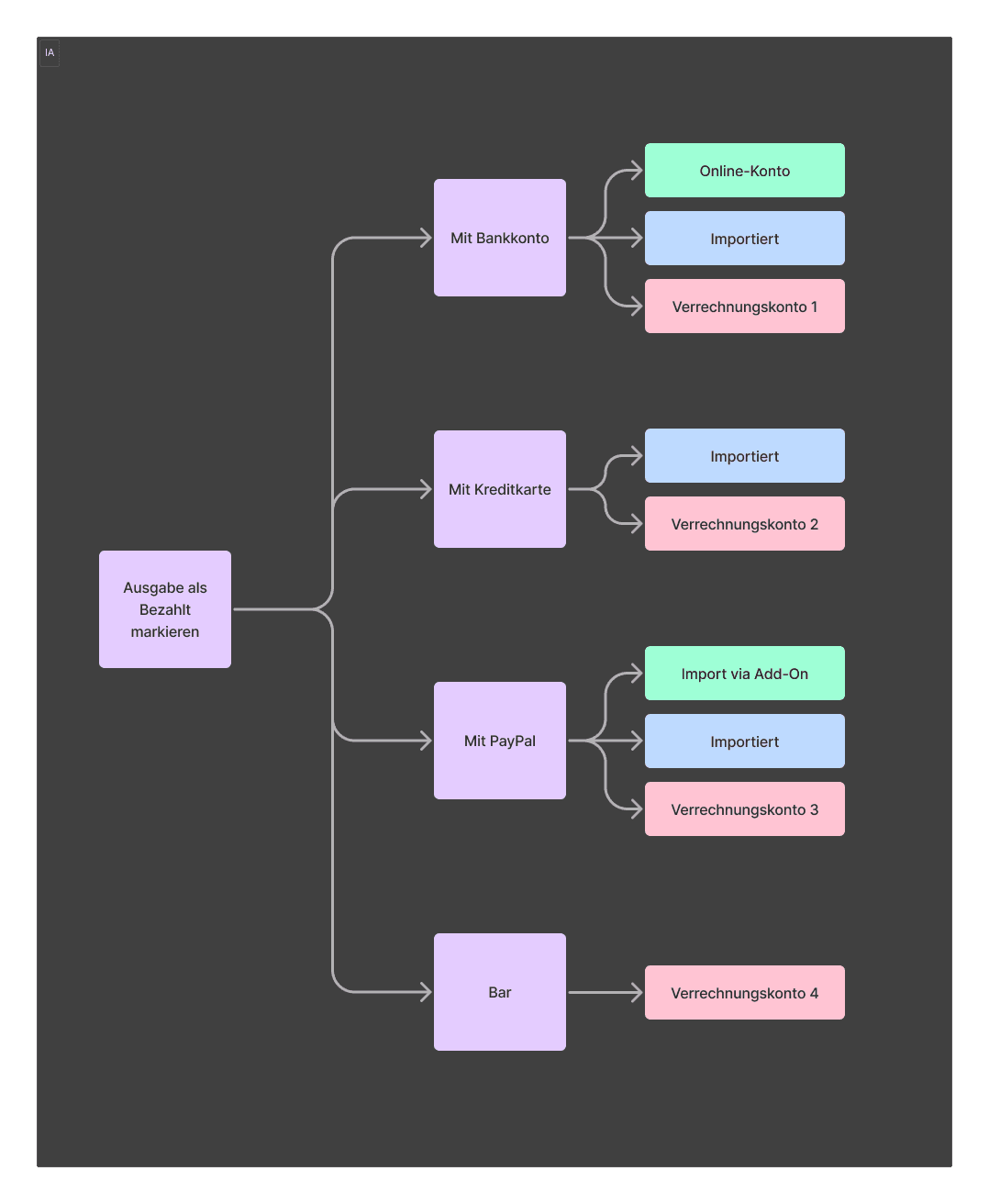
Lack of clarity around categorization, payment methods like cash, PayPal, and bank transfer, as well as how to handle discrepancies in amounts
Limited support for collaborative workflows, such as working with an external bookkeeper or accountant
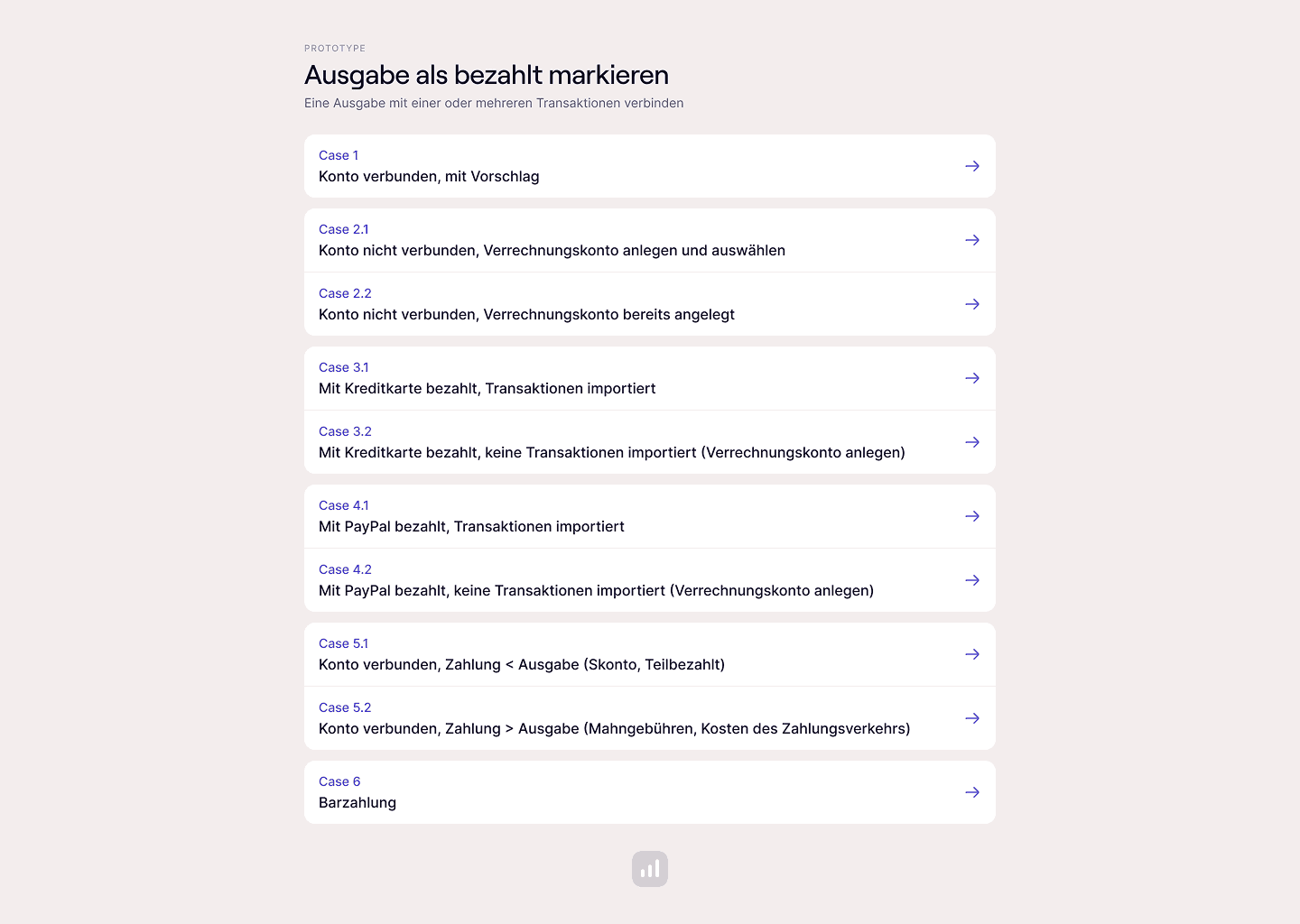
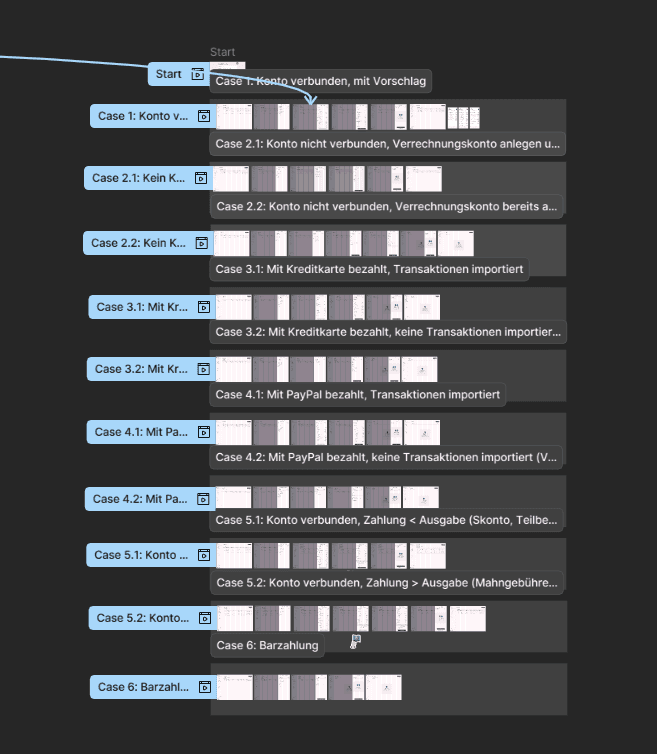
I summarized these insights and used them to guide the development of concepts. From there, I created interactive prototypes that showed different user paths, including "what if" scenarios for uncommon but critical edge cases.
Solution
A clear, single-view flow that makes marking expenses as paid fast, intuitive, and trustworthy
Main Design Decisions
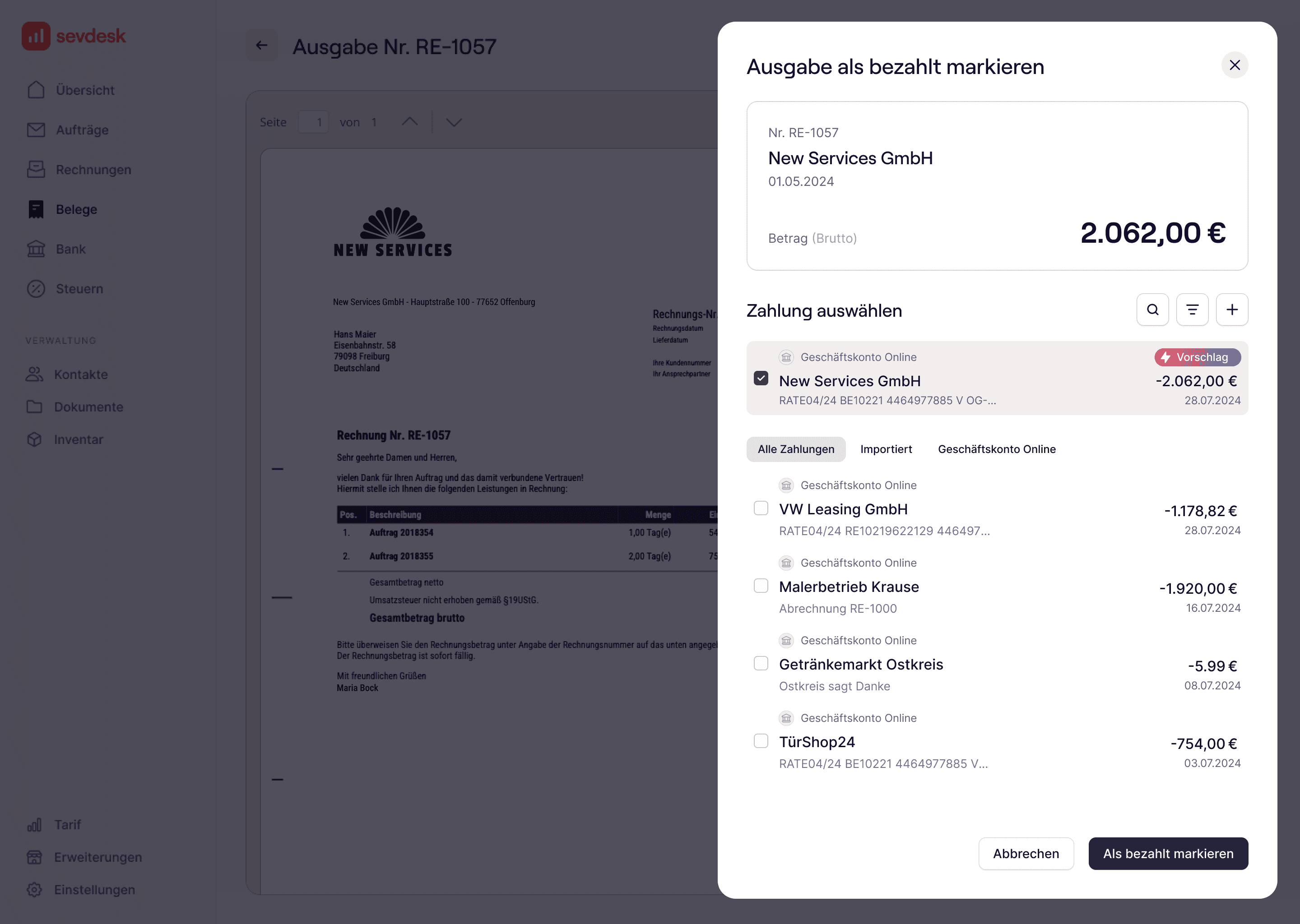
Since marking an expense as paid is a routine task, speed was critical. I designed a single, focused view.
Clear wording: the headline and CTA mirror the previous step and leave no doubt — “Mark as paid.”
Key expense details are displayed compactly on a single card for quick scanning.
Wherever possible, the system makes a suggestion and pre-selects it, reducing clicks and speeding up the flow.
Additional functions for edge cases (search, filter, add transaction) are available via progressive disclosure, keeping the main view uncluttered.
The overall layout is clear, tidy, and easy to scan. Depending on where the user comes from, the previous screen is shown in the background for orientation.