Guidance for Tax Advisors
Helping experts navigate complexity without losing trust
The sevdesk Tax Advisor Portal is a companion product to the main sevdesk accounting software, built for tax professionals who support small business clients.
As the sole product designer on the portal for over three years, I led research, UX, and UI across the entire product. One of the key initiatives I drove was the "Tax Advisor Wizard" — a step-by-step guidance feature that simplifies the onboarding and setup process for new users.
Key Results
Introduced the first onboarding flow, guiding 10k+ tax advisors to the right export format based on their working mode
Increased first-export success within this key multiplier group, boosting adoption among their small business clients
Reduced support requests by providing clear guidance from the very beginning of the tax advisor user journey
Enabled future onboarding improvements by establishing a reusable UX pattern.
my impact
I designed the Tax Advisor Wizard from the ground up, turning a complex, manual setup into a clear, guided flow.
My work reduced onboarding time and lowered support requests by making tax-specific steps easier to follow.
I combined user research, prototyping, and stakeholder input to deliver a solution tailored to tax professionals’ real needs.
Team
Product Designer (me)
Domain Director (acting as part-time PM)
Engineering Manager + 4 Engineers
Internal Tax Experts
Timeframe
June – November 2023
Context
The sevdesk Tax Advisor Portal is a product that complements the main sevdesk accounting tool and targets tax professionals who assist small business clients. Its main features include:
Managing linked clients (mandates), and
Exporting their accounting data (to be sent to DATEV or other systems).
There was no clear guidance on which export format to select, causing frequent frustration and failed attempts.
Exports required an initial setup and technical knowledge that many users lacked.
Tax advisors work with different workflows across firms. Some follow highly manual and traditional methods, while others are more digital but feel overwhelmed by the increasing number of tools.
Support resources were limited, and negative experiences often led to users leaving, as tax advisors sometimes discouraged clients from using sevdesk.
If tax advisors had a bad experience, they would stop accepting clients who used sevdesk, making them significant influencers for user growth, whether positive or negative.
My Role
As the only product designer for the Tax Advisor Portal, I led this project from start to finish, covering everything from the initial discovery to the final implementation.
During the project, I also took on product management tasks since there was no dedicated PM at that time. I worked closely with the domain director, who supported the project part-time, and drove planning, prioritization, and communication with stakeholders. I created the entire UX and UI for the wizard, including writing the copy and designing the visual flow.
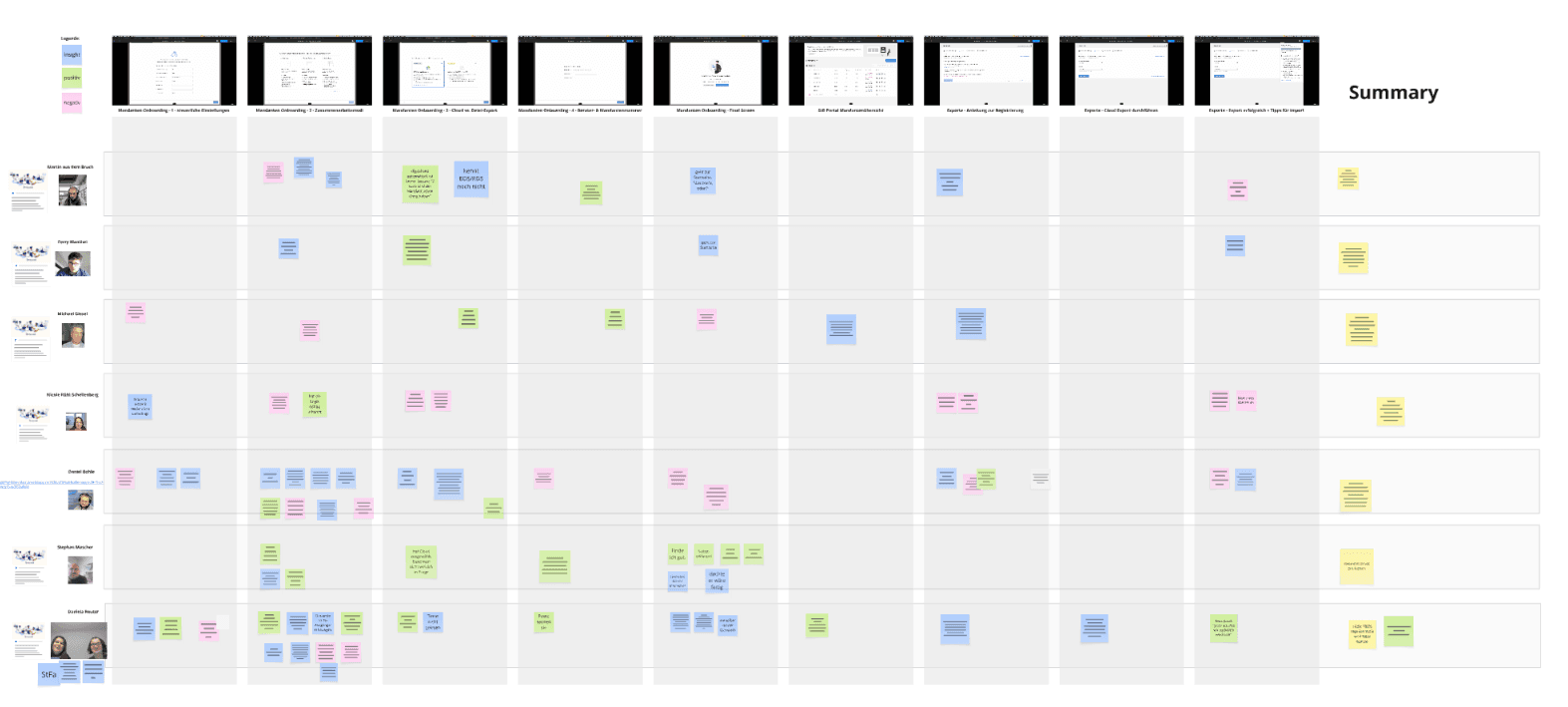
I also started and carried out qualitative research, including interviews, field visits, and onboarding call experiments, to better understand our specific audience and confirm our ideas. Additionally, I ran internal workshops and worked closely with in-house tax experts to improve our collaboration models and product wording.
Understanding the Workflow
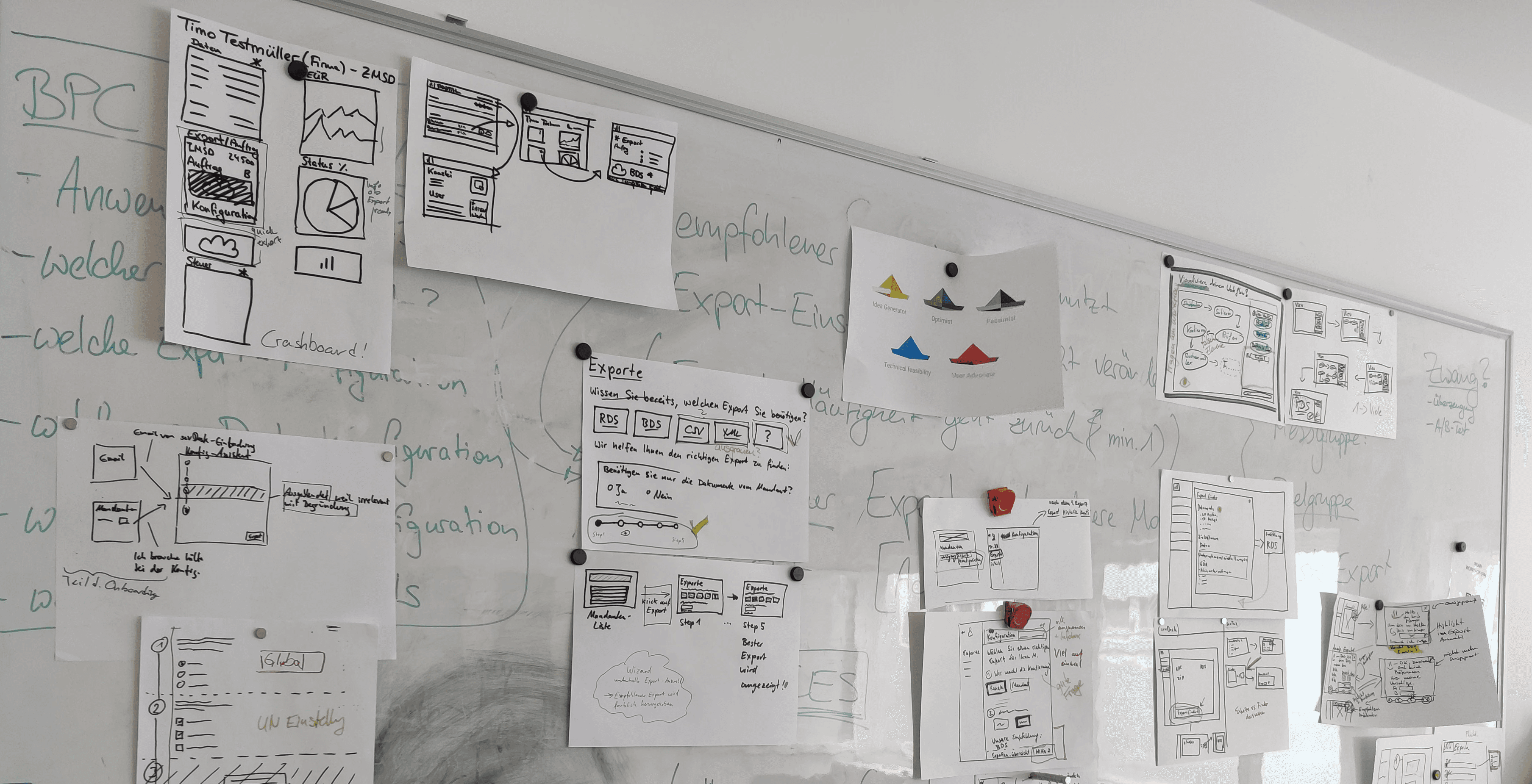
At the start of the project, we had plenty of internal knowledge about tax advisors, but it was scattered and unstructured.
To make sense of it, we held an Event Mapping workshop with colleagues from the tax advisor support team and internal tax experts. The goal was to create a shared view of the advisor journey and identify key pain points, from onboarding to daily collaboration with clients.

Optimizing the First Experience
Onboarding quickly became a top priority. A poor first experience, especially if tax advisors couldn’t understand how to export client data, risked long-term disengagement. Without clarity and ease of use, they were unlikely to return to the portal or recommend sevdesk to clients.
Gaining Real-World
Understanding
Tax advisors were a challenging user group:
highly skilled, but short on time and often skeptical of new tools.
Key Learnings from Research
Many firms distrust automation and prefer manual workflows, even if they are less efficient.
We learned that certain export services must be booked separately via DATEV. This made a fully smooth end-to-end flow impossible.
We found that tax assistants, who often use the tool daily, cannot book export services with DATEV on their own. They first need approval from the responsible tax advisor.
From Assumptions to Validation
Based on the workshop results and the "Best Practice Conviction" document, I created interactive prototypes reflecting the three collaboration models.
Solution: Confidence & Control
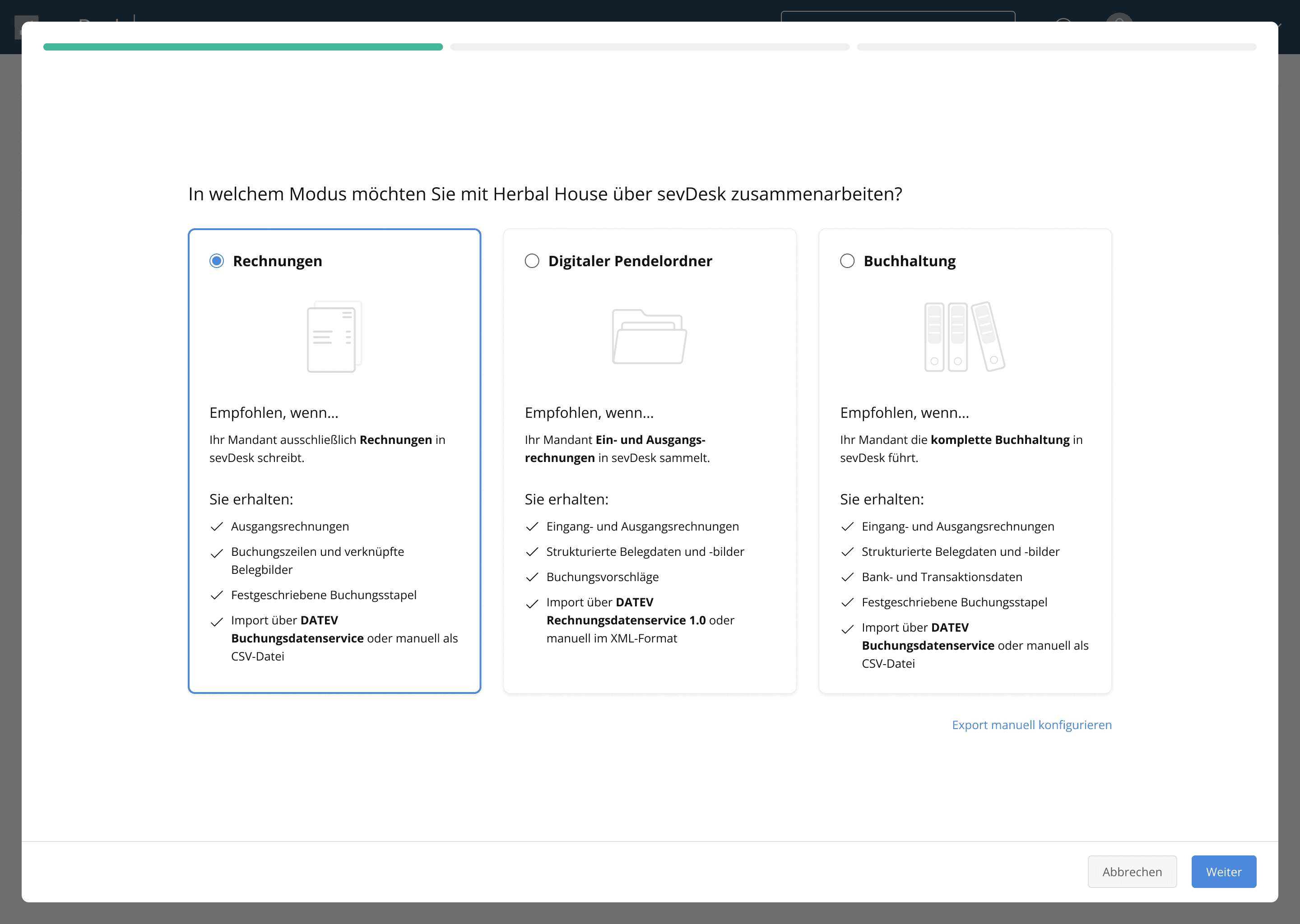
The export wizard was structured around three simple steps.
Step 1
Select the collaboration model between advisor and client, with clear recommendations for the appropriate export format.
Main Design Decisions
Three collaboration model options, based on research
Simple illustrations to visually differentiate and explain
Clear answers to key questions: when to use which option, and what each export contains
Manual configuration still available for users needing full control
Balanced text: enough info to decide without overwhelming; too little would feel like a black box
Step 2
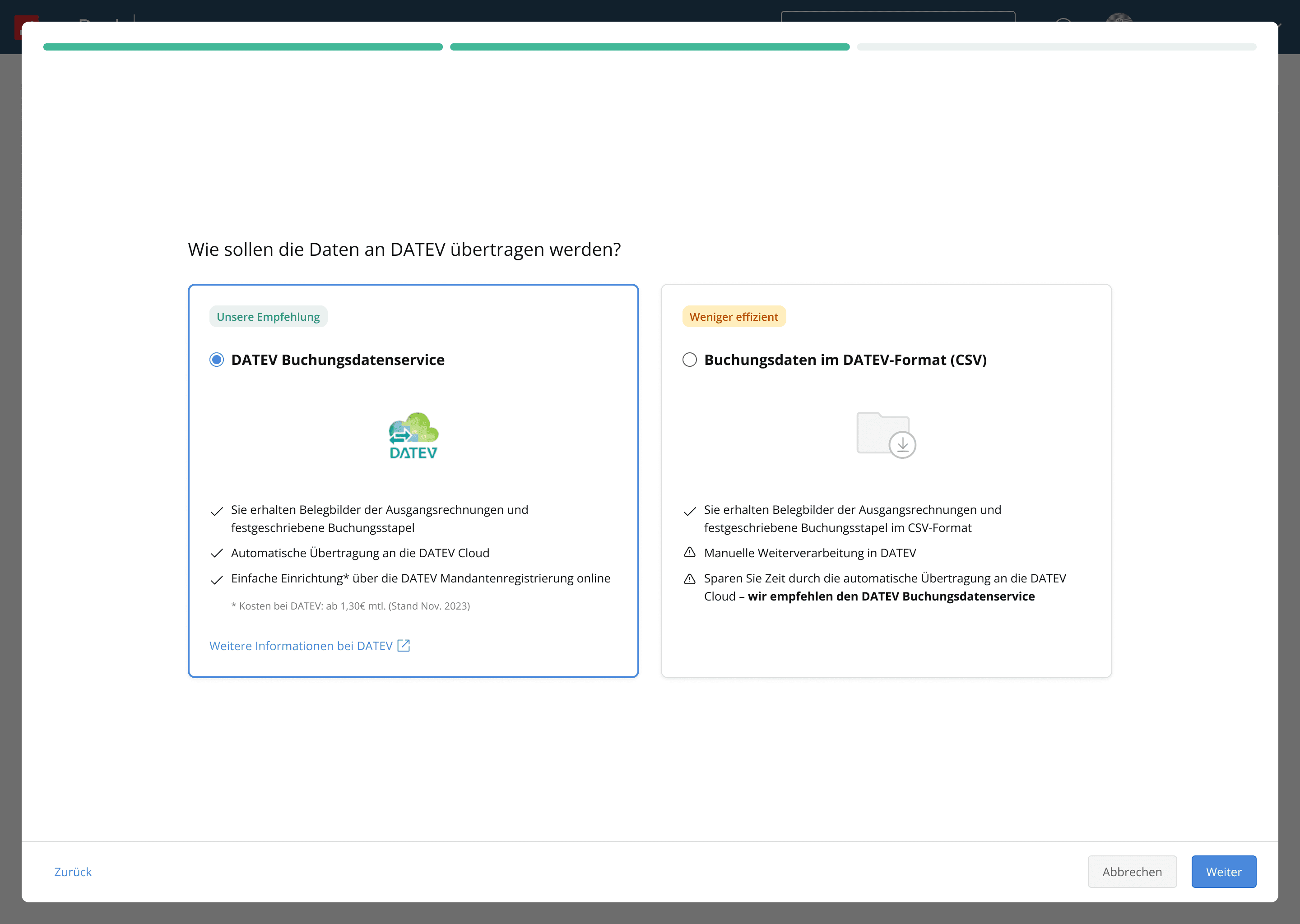
Choose the export method, either manual or automated through a DATEV export service.
Main Design Decisions
Highlighted the main decision at this step: use the automated DATEV workflow or export/import manually
Marked the automated option as Recommended, since it is more efficient and less error-prone
Added DATEV logo for recognition and trust
Included info on potential costs and a link to DATEV’s site for details
From research we knew ~50% of users don’t trust automation or aren’t ready to pay, so the manual option is given equal visual weight, but with a clear warning that it is error-prone
Step 3
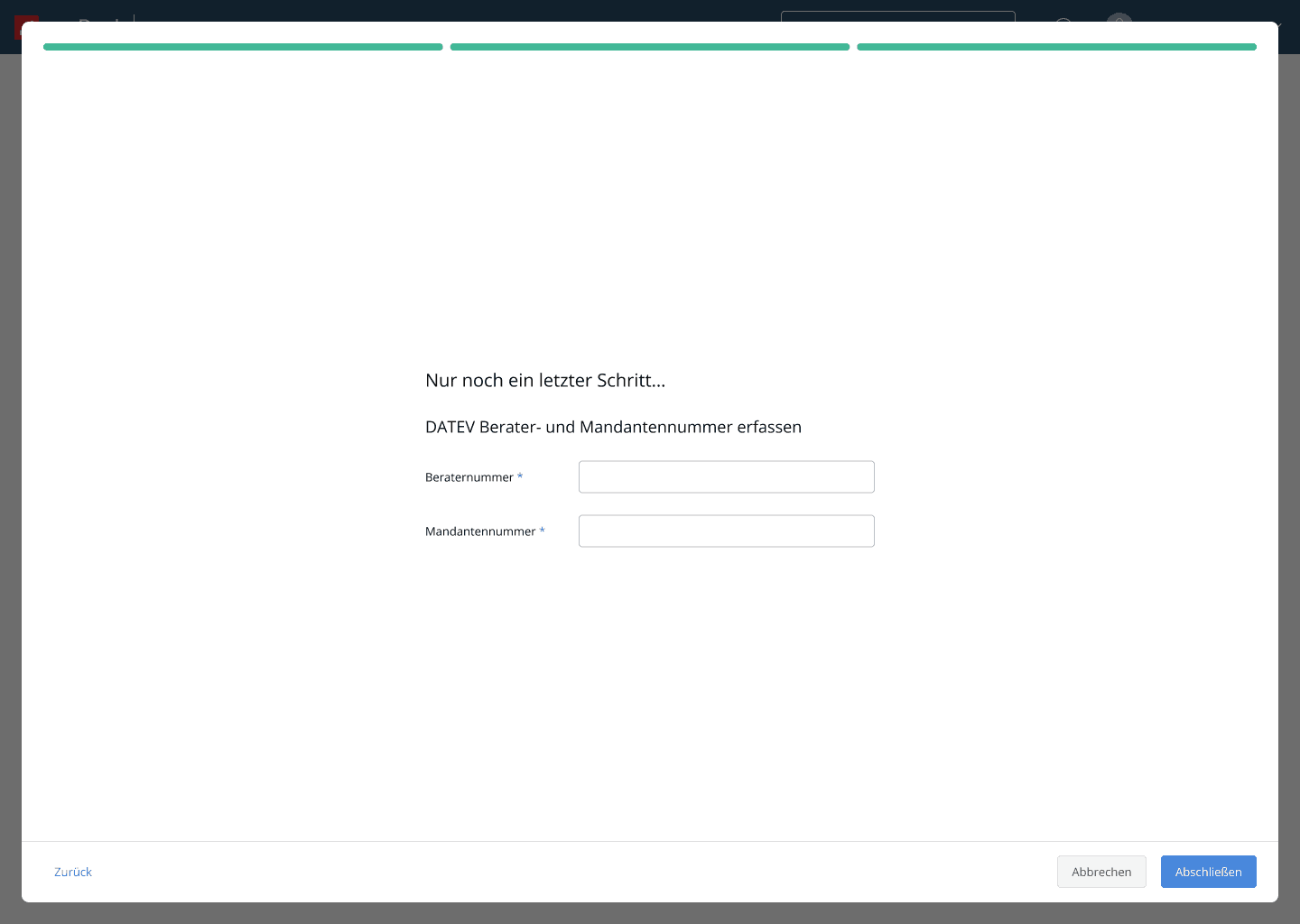
Enter required DATEV identifiers, including advisor and client IDs.
Main Design Decisions
This information is required for any export, so I placed it in a separate step to avoid cluttering the others
Since all DATEV users know these identifiers, no further explanation was needed
After two data-heavy steps, I aimed to give users a sense of progress — “Just one more step”
Success Message
A moment to breathe after several big decisions.
Main Design Decisions
Research showed that many users felt highly insecure when configuring export settings — unsure if they chose correctly and when the process was actually complete.
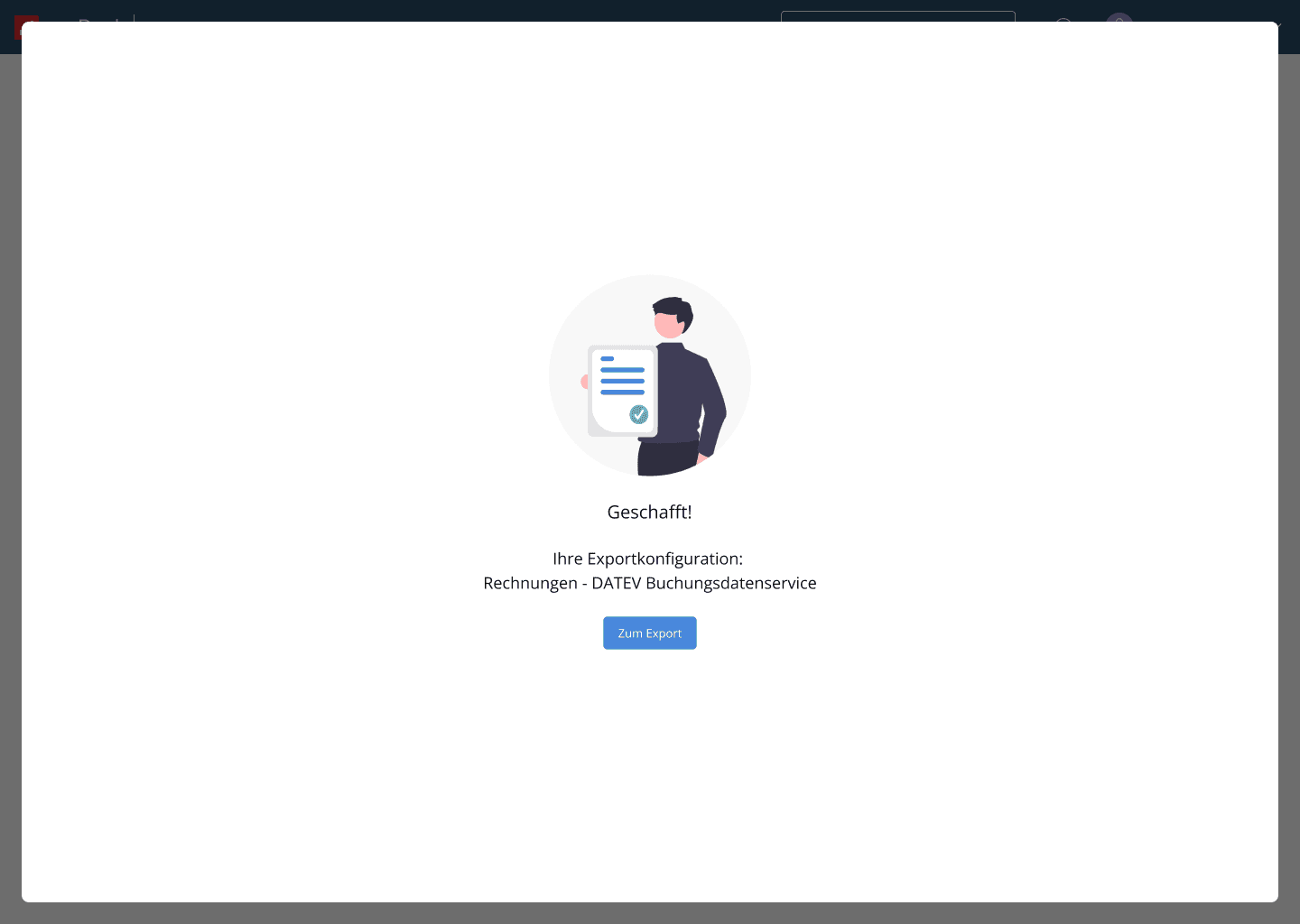
To address this, I designed a reassuring success message, supported by an illustration to reinforce the feeling of relief and confirm that everything was set up correctly for export.